


Fan Noise for Sleeping - App
3.333.00 Reviews
App Specs
- Version
- 1.0.8
- Updated On
- License
- Free
- Downloads
- 10,000+
- Developer
- Geastorm
- Categories
- Medical
- Platform
- Android
Screenshots
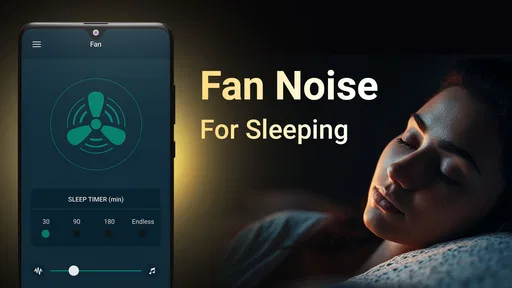
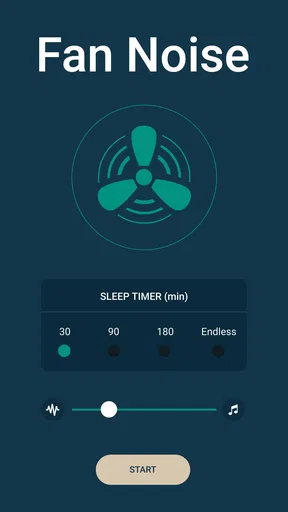
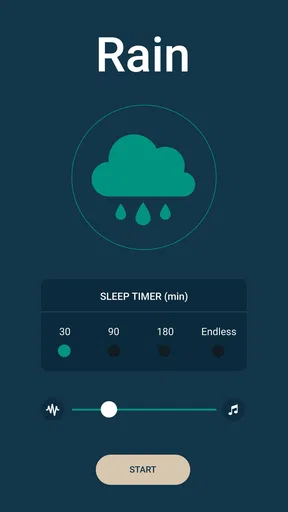
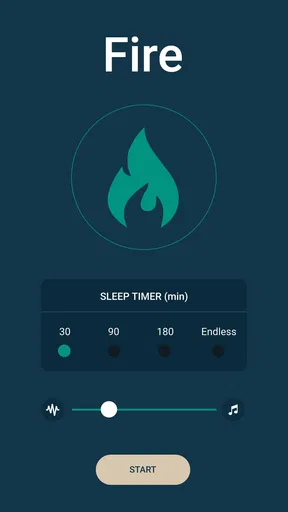
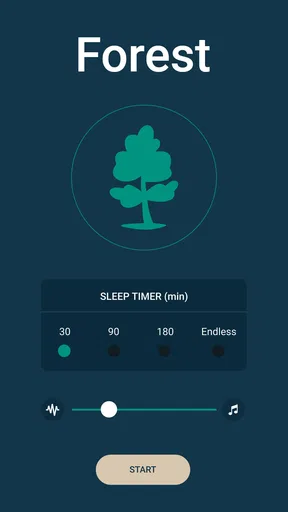
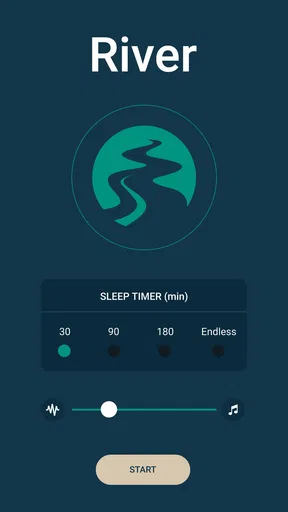
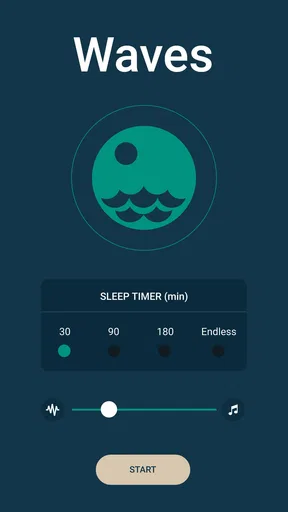
 Analysis by AppCompare
I tried Fan Noise for Sleeping as a simple way to make quiet spaces feel less distracting at bedtime, and its appeal is easy to understand. This is a medical-category app from Geastorm built around fan noise, white noise, and nature sounds rather than complicated sleep coaching. I would describe it as a focused sound tool: useful when a steady background layer helps you settle, but not a complete sleep-tracking or wellness system.
The app is free to install and suitable for Everyone, although optional in-app purchases range from $2.99 to $29.99 per item. That combination makes it approachable for casual testing, while the purchase options are worth keeping in mind if you prefer a completely cost-free experience. It runs on Android 7.0 or later, so compatibility should cover many older phones as well as newer devices.
How Fan Noise fits into a real bedtime routine
My first impression is that the app makes the most sense when used as a background habit rather than something that demands attention. I would open it before putting my phone down, select a sound that feels comfortable, set the volume low enough to sit behind the room, and then leave the phone alone. That is a much better approach than repeatedly changing sounds while trying to fall asleep.
Fan noise is especially practical for people who dislike complete silence. A consistent sound can soften small interruptions such as distant traffic, household movement, or a partner shifting in bed. Nature sounds can serve a similar purpose, but they create a different mood. I find fan-style audio easier to ignore because it is steady, while changing outdoor sounds may keep some listeners more mentally engaged.
The useful idea here is not louder sound; it is controlled consistency. Turning the volume up to cover every outside noise can become irritating and may make the phone feel intrusive. A quieter setting, placed near the bed but not directly beside the pillow, is usually the more sensible starting point. If the sound disappears into the room after a few minutes, that is often a sign the level is doing its job.
What to expect from everyday speed
Fan Noise for Sleeping is a narrow-purpose app, so I would expect it to feel lighter and quicker to understand than a large sleep platform filled with tracking dashboards, lessons, accounts, and recommendations. Its store summary centers on white noise and nature sounds for deep sleep, while the short description points directly to fan noise. That focus matters: you are not opening it to analyze your sleep history or build a detailed personal program.
On a normal evening, the important performance question is how quickly you can reach a comfortable sound and stop interacting with the screen. A simple audio app has an advantage here because fewer layers generally mean fewer decisions. I would still avoid judging it by the first few seconds alone. The real test is whether the chosen sound remains comfortable during a full wind-down period without requiring constant adjustment.
Worth Reading Before You Choose

Flipboard Shows What News Apps Must Do Beyond the Feed

Switching to Android Auto Means Rethinking Your Driving Routine

Google Calendar Makes a Crowded Week Easier to Manage

Ludo King Makes the Most of the Minutes Between Plans

Baby Panda World Brings Quick Play to Modern Phones, but Its Game Library Feels Busy

ESPN’s Live Game View Makes Following Close Games Easier
There is also a practical speed benefit in keeping your routine predictable. I recommend choosing one sound for several nights before deciding it is unsuitable. Switching immediately between fan noise, rain, and other nature audio can make the app feel less effective simply because your brain is waiting for the “perfect” option. The better workflow is to treat the first choice as a baseline, then make one deliberate change if it does not work.
Where heavier use can expose friction
The app may be easy to use for a single bedtime session, but a longer routine raises different questions. Some people will want sound while reading, resting during the day, travelling, or working in a noisy home. In those situations, the app’s value depends less on novelty and more on whether it remains comfortable across changing environments.
A sound that works in a quiet bedroom may be too subtle in a shared living space. Conversely, a setting that masks daytime activity may feel excessive at night. I would make separate volume habits for those situations rather than assuming one level fits every use. This is a small but important trade-off: the app can provide a steady audio layer, but it cannot decide how much masking your room requires.
Extended listening also makes phone placement important. Leaving a device under bedding or pressed against a mattress is poor practice because it can restrict airflow and make the phone harder to reach. I would keep it on a hard, open surface and connect to a speaker only if that arrangement is already safe and comfortable. The app itself is not a substitute for sensible device handling during long playback.
Another heavy-use consideration is attention. If you are sensitive to repetitive audio, continuous fan noise may become noticeable rather than soothing. Nature sounds may feel more pleasant for some listeners, but their variation can also become distracting. I would use the app as an experiment in sound masking, not as a promise that one track will solve every sleep problem.
Reliability in the moments that matter
For this kind of app, reliability is not about complex calculations. It is about opening the app when tired, finding the sound without confusion, and avoiding interruptions once the room is dark. That is why I value a straightforward interface more than a long list of extras. Every additional choice can be useful, but it can also turn a calming routine into another screen-based task.
The current version is 1.0.8, and the app was released on February 13, 2024. Those details place it in a relatively early stage compared with long-established sleep platforms, so I would approach it as a focused utility rather than a mature ecosystem. Its average rating is 3.3 from over 100 ratings, with 33 written reviews, which suggests that user experiences are mixed rather than universally enthusiastic.
I would not treat that rating as a final verdict by itself. Sound preferences are unusually personal, and an app can be technically fine while still failing to suit someone’s ears, routine, or expectations. At the same time, the middling score is a reason to test the free experience carefully before paying for anything. If the basic sound does not feel natural to you, extra content is unlikely to change the central issue.
Recovery is another part of reliability that deserves attention. If playback stops, the useful response is not to keep tapping through menus while half asleep. I would first check the phone’s volume, media output, battery level, and whether another audio app has taken control. Those are ordinary Android causes, but they are particularly annoying at bedtime. Keeping the setup simple reduces the number of things that can interrupt the routine.
Older phones, battery use, and device limits
The minimum operating-system requirement is Android 7.0, which is helpful for users who keep an older phone as a bedside device. That does not guarantee identical behavior on every model, because audio handling, battery management, and manufacturer settings can differ. Still, the broad compatibility makes the app more practical than a tool restricted to recent hardware.
Continuous audio naturally keeps the phone working for as long as the session lasts. I would begin with a charged device and avoid using a phone that is already close to empty. If battery preservation matters, a separate speaker or an older spare device may be a better arrangement, provided it is placed safely. This is not a reason to reject the app, but it is a real consideration for people who expect all-night playback.
Resource demands are also connected to what else you do with the phone. Playing a simple sound in the background should be less demanding than running video, sleep analysis, or several interactive services at once. However, I would not assume that every phone will behave identically. Battery-saver modes, background restrictions, and aggressive memory management can affect long sessions, especially on older or heavily customized Android devices.
For that reason, I recommend a short daytime trial before relying on it overnight. Start a sound, lock the screen, leave the phone in its intended location, and check later whether playback remains active and the device stays comfortable. This test is more useful than guessing from the app’s category. It also gives you a chance to discover whether your phone changes audio output or pauses background activity.
Who will get the most from it
I think Fan Noise for Sleeping is best for someone who wants a small, direct sound utility and does not need sleep statistics. It can suit a light sleeper bothered by an inconsistent room, a student in shared accommodation, a traveller adapting to unfamiliar surroundings, or anyone who finds a gentle mechanical hum reassuring.
It can also help during a realistic evening scenario: imagine coming home late, needing to sleep while other people are still moving around, and wanting to reduce the contrast between sudden noises and the quiet room. A low fan sound can make those changes less prominent without requiring a guided meditation or spoken content. In that situation, the app’s narrow focus is a strength because it gets out of the way.
I would be more cautious about recommending it to someone who wants a complete sleep plan. If you need sleep-stage tracking, bedtime reminders, breathing exercises, coaching, alarms, or a large library of narrated sessions, a broader wellness app will probably be a better match. Likewise, if you already sleep well with a physical fan, smart speaker, or built-in phone sound, installing another app may add little value.
People with persistent insomnia, troubling breathing symptoms, severe daytime sleepiness, or other health concerns should not use background audio as a replacement for professional medical advice. The app belongs in the comfort and environment part of a routine, not in the diagnosis or treatment part. That distinction is especially important because its category may make it seem more medically comprehensive than it actually is.
Free access and the purchase decision
The free entry point is one of the app’s strongest practical advantages. I can try the central idea without committing money immediately, which is exactly what I want from a sound-based sleep tool. Before considering an optional purchase, I would use the free version on several different nights and in more than one environment.
The available in-app purchases run from $2.99 to $29.99 per item. That is a wide range, so I would pay close attention to what each item unlocks and whether it solves a problem I actually have. A larger selection is not automatically better if I already have one sound that fades into the background comfortably.
My advice is to judge value by consistency, not by the number of choices. If the app becomes part of your routine and the free material does not meet your needs, a paid option may be reasonable. If you are still changing sounds every few minutes, buying more options may simply increase indecision. In this category, the best sound is usually the one you can stop noticing.
My performance verdict after weighing the trade-offs
Fan Noise for Sleeping is a focused Android app from Geastorm with a clear purpose: provide fan-style, white-noise, and nature-based audio for people who want a calmer background at bedtime. Its modest scope should help it feel approachable, and support for Android 7.0 or later gives it a useful reach across older and newer devices.
I see its strongest performance case in short setup time, low interaction, and a routine that does not require tracking or coaching. I see its weaker side in the personal nature of repetitive sound, the possibility of battery drain during long playback, and the uncertainty that comes with a relatively new app and a mixed average rating. Those are not deal-breakers, but they make a careful free trial important.
With over 10,000 installs, it has found an audience, though it remains much smaller than the major sleep platforms. That smaller scale is consistent with the app’s simple identity: it is not trying to replace every bedtime tool. I would recommend it to a friend who specifically wants fan noise and prefers a straightforward experiment over a large subscription-style sleep service.
My final recommendation is to try it as a quiet background aid, not as a medical solution or full sleep system. Keep the volume restrained, test it with your screen locked, place the phone on an open surface, and give one sound enough time to prove whether it helps. If that simple routine fits your needs, the app’s focused design is its main advantage. If you want detailed sleep insight, coaching, or guaranteed all-night control, a different kind of app or a dedicated speaker will likely serve you better.
Pros
- Simple interface makes it quick to start a relaxing fan sound.
- Steady background noise can help mask household or street sounds.
- Useful timer options may prevent the app from running all night.
- Suitable for naps
- bedtime
- studying
- or relaxing during travel.
- Low-effort alternative to keeping a physical fan running overnight.
Cons
- Sound choices may feel repetitive after extended nightly use.
- Some features may require an in-app purchase or contain advertisements.
- Continuous playback can drain battery when the device is not charging.
- A phone speaker may not reproduce deep
- realistic fan tones.
- The app may not suit users who prefer nature sounds or complete silence.
FAQs for Fan Noise for Sleeping - App
What is Fan Noise for Sleeping, and how does it work?
Fan Noise for Sleeping is a relaxation and sleep app that plays a continuous recording or simulation of a fan running in the background. Its steady, repetitive sound can help mask distracting noises, create a familiar bedtime atmosphere, and make it easier to relax. After opening the app, you can usually start the sound with one tap and leave it playing while you fall asleep.
Can Fan Noise for Sleeping help with sleep and concentration?
The app may be useful for people who find consistent background noise calming or who are easily disturbed by sudden sounds during the night. Fan noise can also be used while reading, studying, meditating, or working. However, results differ from person to person, and the app is not a medical treatment for insomnia, anxiety, tinnitus, or other sleep-related conditions.
Does the app include a timer or automatic shut-off feature?
Many users look for a timer so the sound does not continue throughout the entire night. Depending on the version installed and the device platform, Fan Noise for Sleeping may offer a sleep timer, background playback controls, or automatic stopping options. Before downloading, check the current app-store description and settings, since available features can vary between Android and iOS releases.
Can I use Fan Noise for Sleeping while my phone is locked or while using other apps?
The app is designed for bedtime and background listening, so it may continue playing when the screen is turned off or when another application is open. Actual behavior depends on your phone model, operating-system permissions, battery-saving settings, and whether the app supports background audio. If playback stops unexpectedly, review battery optimization and background activity permissions.
Is Fan Noise for Sleeping free, and does it contain advertisements or in-app purchases?
The basic version may be available to download without an upfront payment, but the exact business model can differ by platform and region. Some versions may display advertisements, offer optional purchases, or reserve extra sounds and controls for a premium plan. Review the Google Play or App Store listing before installing, especially if you prefer an ad-free experience or want to avoid subscriptions.


